Guardio or Norton for your team? Real 2026 attacks on companies, and a $5 alternative
In a lot of small companies, browser protection is whatever each person happened to install: Guardio on one laptop, Norton on another, nothing on the rest. This post is for whoever has to protect 5 to 200 people properly. It covers the attacks that reached companies this year, what PhishClean for Teams does about each, and where Guardio or Norton fits instead.
What a company needs from browser protection
- Installed by policy, not by asking each person, and not something staff can quietly remove.
- No pop-ups asking staff to pay or sign up. A consumer product that starts selling upgrades to your accounts team creates support tickets.
- Catches new fake logins for the accounts the business runs on: Microsoft 365, Google Workspace, Salesforce, GitHub, your bank.
- Doesn't monitor staff. People accept protection more readily when it doesn't record where they browse.
- A price per person you can approve without a procurement process.
Real attacks on companies in 2026
1. EvilTokens: 12,000 Microsoft 365 inboxes at more than 10,000 organisations
On 22 September Microsoft's Digital Crimes Unit took down EvilTokens, a phishing service linked to more than 12,000 compromised Microsoft 365 inboxes in the US, UK, Canada, France, Australia, India and elsewhere. It seized 50 websites and disabled more than 150 other domains. EvilTokens used Microsoft's device-code sign-in: the victim types a code into the real microsoft.com/devicelogin page, and that signs the attacker in.
To be straight about it: no browser extension can flag the last step, because it happens on Microsoft's real page. What helps is blocking the lure pages, which PhishClean does for free once they are on the reported list (updated twice a day). On the admin side, block device-code sign-in with Conditional Access for everyone who doesn't need it. And tell staff the rule: never type in a code from someone else for a sign-in you didn't start.
2. BlueKit: fake Salesforce, GitHub and Citrix logins in ten minutes
Malwarebytes reported on 7 October that the BlueKit phishing kit covers 97 brands, including the business logins Salesforce, HubSpot, GitHub, Citrix, Cisco, Cloudflare and Check Point. Its operators say a new site goes live about ten minutes after a domain is connected. It captures session cookies and passkeys as well as passwords. "The website already thinks they are you," as Malwarebytes put it, so two-step sign-in doesn't save an account once someone has signed in through the fake page.
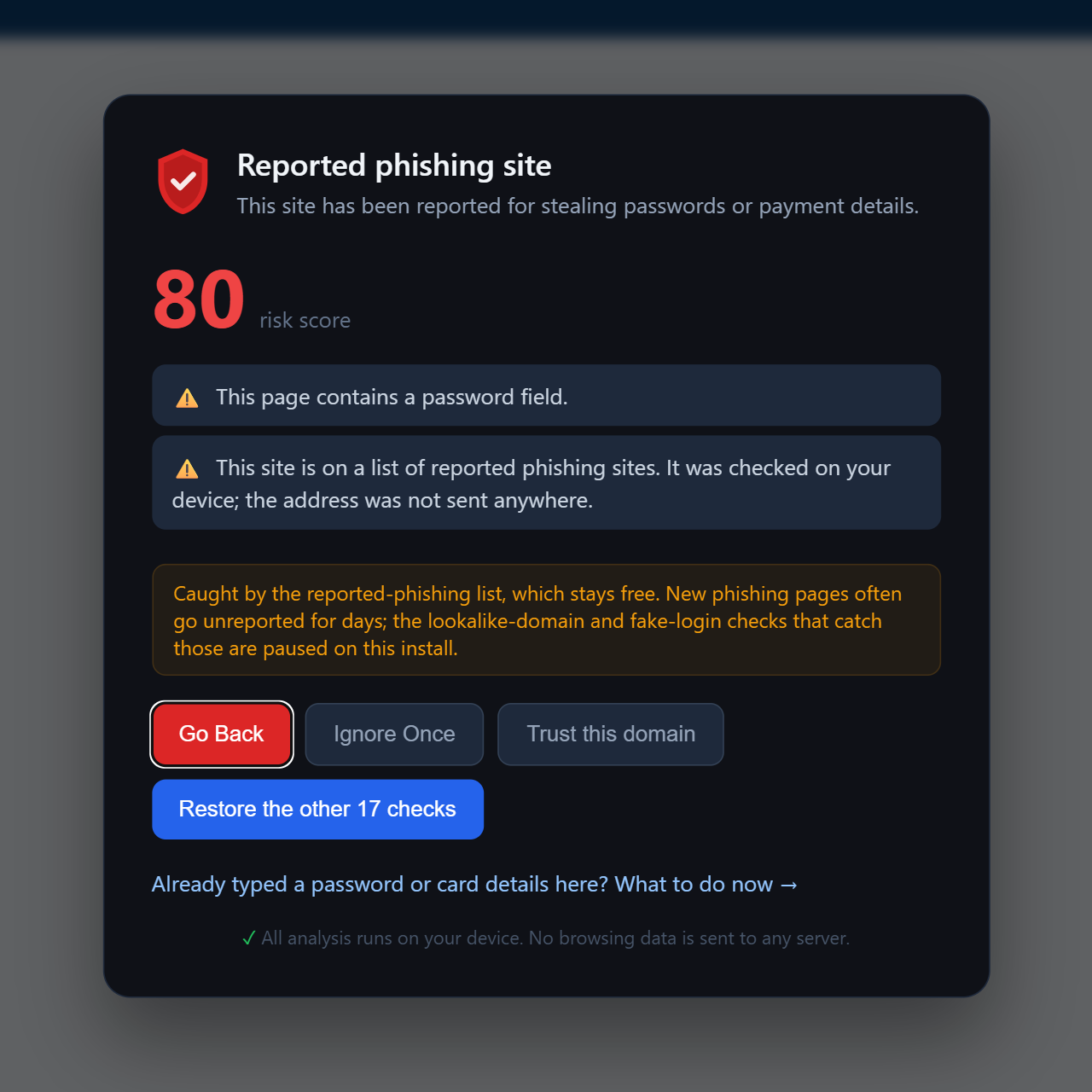
What PhishClean checks: the moment before someone types the password. A password form that sends to a site other than the one in the address bar triggers a warning, and that check stays on even on the free plan. Addresses that imitate Microsoft, Office 365, Outlook, Google, GitHub or LinkedIn trigger the lookalike check. Pages on unrelated domains that copy a brand's logos and links while asking for a password are flagged too. None of these wait for the site to be reported.
3. Links that really do start at Microsoft or Google
In March Microsoft described campaigns that build sign-in links on the real login.microsoftonline.com or accounts.google.com, trigger an error on purpose, and let the identity provider redirect the browser to the attacker's page. Email filters see a Microsoft link, and so do your staff.
What PhishClean checks: it doesn't judge the link. It checks the page the browser ends up on, so a redirect from a trusted address doesn't change the result.
4. Fake bank logins on trusted hosting
Fake bank logins hosted on GitHub Pages and similar platforms take advantage of the host's good reputation. A tool that rates the host sees a respected domain. PhishClean looks at what the page does: a login form, a copied brand, and a site the brand doesn't own. How the GitBait pages worked.
5. Fake shops and fake invoices reach work laptops too
Bitdefender counted more than 55 fake-shop campaigns across 12 European countries between March and May, many reaching people through Facebook ads and sponsored search results. Staff shop on their lunch break, and a company card used on a fake shop is still your money. PhishClean's fake-shop warning and its search-result badges apply on work browsers the same way they do at home.
For engineering teams: secrets in the page
PhishClean also flags API keys, private keys and session tokens exposed in a page's source or in a URL. That catches a staging site or internal tool shipping a live key before an attacker finds it. Guardio and Norton don't look for this. Why API key leaks matter.
Where Guardio and Norton fit
Guardio is mostly a consumer product, sold as individual, duo and family plans. It also has a teams offering for small businesses with an admin view. Ask Guardio for current pricing, because we couldn't find it published. Its checks run on its servers, so the addresses your staff visit are sent there.
Norton Small Business is antivirus for small offices, priced in tiers by number of devices, and it includes Norton's Safe Web ratings. If you need antivirus and have nothing else, it's a reasonable choice. Most Windows companies already have Microsoft Defender, though. PhishClean doesn't replace antivirus. It adds a check at the step antivirus doesn't cover: the moment someone types a password into a page.
You can run PhishClean alongside either one. They check different things and don't conflict.
PhishClean for Teams, in numbers
| Team size | Monthly | Yearly |
|---|---|---|
| 10 people | $50 a month | $500 a year |
| 25 people | $125 a month | $1,250 a year |
| 50 people | $250 a month | $2,500 a year |
- $5 per person a month, or $50 a year (two months free). Minimum five people.
- 30-day pilot with no card. If it lapses, browsers fall back to the free plan. Nothing breaks and nothing is uninstalled.
- Deployed by policy: Google Admin, Microsoft Intune, Group Policy, a macOS profile, or Firefox
policies.json, with your organisation key. No agent, proxy or DNS change. - Staff never see a trial, an account prompt or a paywall.
- Your own trusted sites: add internal domains such as the intranet or your SSO page so they never trigger warnings.
- Private by design: every check runs on the device. We never receive the sites your staff visit, and neither do you. The admin page shows how many browsers are protected, not who visited what.
Organisation keys work on Chrome and Firefox today. The Edge store doesn't have our latest version yet, so start your pilot on Chrome or Firefox until it does.
A 30-day pilot plan
- Day 1: start the pilot, save the admin link, and deploy to 5 to 10 people. Include whoever pays invoices and whoever runs payroll, because they get the most targeted messages.
- Week 1: add your internal domains to the trusted list. Ask the group to forward you a screenshot of any warning they see.
- Weeks 2 to 4: deploy to everyone else. Pair it with the two rules that stop most account takeovers: no codes typed for sign-ins you didn't start, and no passwords typed after clicking a link in an email.
- Day 30: subscribe from the admin page, or let it fall back to the free plan.
If an account has already been taken over, start with our business email recovery guide. For the wider question of stopping staff typing passwords into fake pages, see this guide. For a single person or a family, read the personal version of this post.
Sources
- The Hacker News: Microsoft takes down EvilTokens device-code phishing service (September 2026)
- Malwarebytes: AI-powered phishkit arms criminals with account-hijacking tools in 10 minutes (7 October 2026)
- Microsoft Security Blog: OAuth redirection abuse enables phishing and malware delivery (2 March 2026)
- Bitdefender Labs: fake shops across Europe (June 2026)
Protect your team for 30 days, free
No card. $5 per person a month afterwards, or $50 a year.
Start a pilotLast updated: