What's new in PhishClean 1.9.0: fake job interviews and booby-trapped coding tests
This week Binance lost about $6.3 billion, and its first findings point to one engineer's compromised laptop. North Korean groups get onto laptops like that with fake job interviews: a take-home repo that runs malware when you install it, or a video interview that tells you to paste a "camera fix" into Terminal. 1.9.0 adds warnings for both, plus fake meeting-app downloads.
Out now on Chrome, Firefox and Edge, as part of 1.10.0, which includes everything below. Your browser installs the update by itself; nothing to do.
New, and free: fake interview "camera fixes"
You are recording answers on what looks like a professional interview site. You click "enable camera", and it says camera access is blocked: to update your driver, open Terminal (or press Windows + R) and paste the command it has already copied for you. That command downloads a backdoor that goes after saved passwords, crypto wallets, SSH keys and cloud logins. Researchers call this ClickFake Interview, and it is aimed at developers and crypto staff.
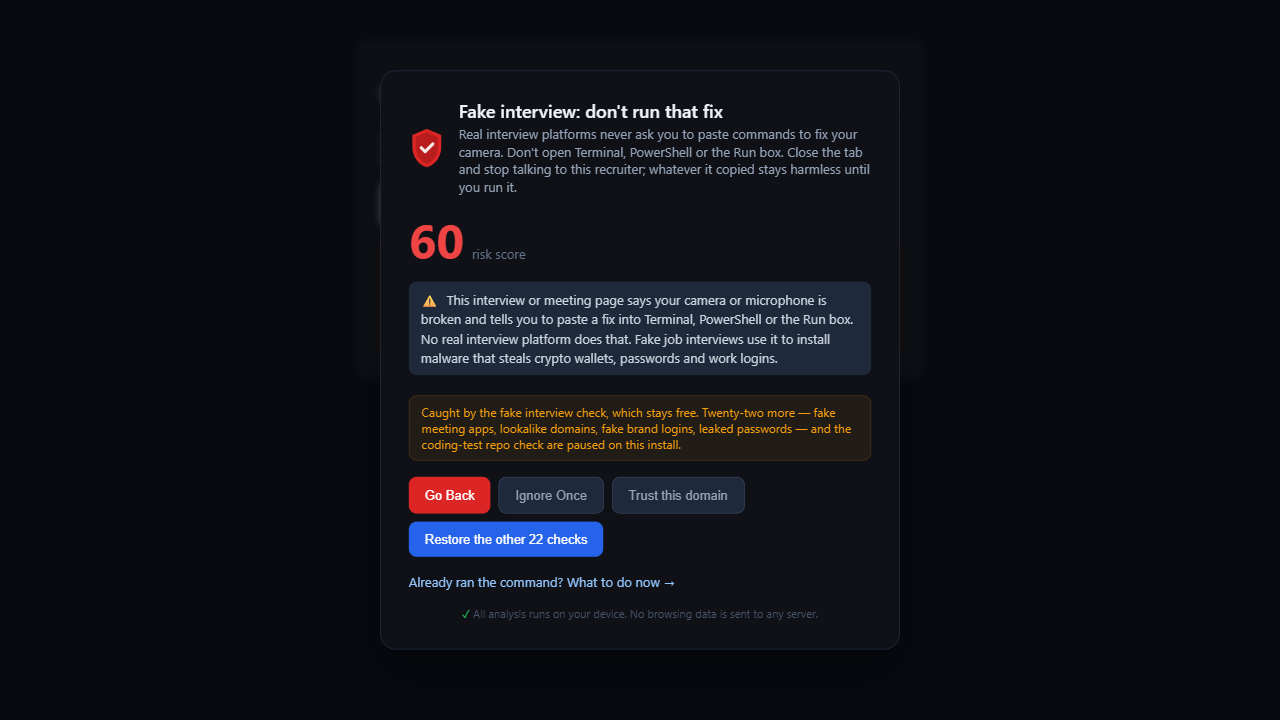
PhishClean now warns when an interview or meeting page reports a camera or microphone error and pairs it with a copied download command, or with "open Terminal / PowerShell / the Run box and paste" steps. Help articles about real camera problems don't mention an interview, so they don't get a warning. Like the fake CAPTCHA check, this one is free for everyone: the next step on these pages installs malware.
New: a check for coding-test repos on GitHub, GitLab and Bitbucket
The other way in is the take-home test. "Clone this repo, run npm install and fix the bug." The repo is a working app with one extra piece: an install hook that runs on its own, a VS Code task set to run the moment you open the folder, or a config file that downloads code and runs it, sometimes pushed hundreds of spaces off the right edge of the screen.
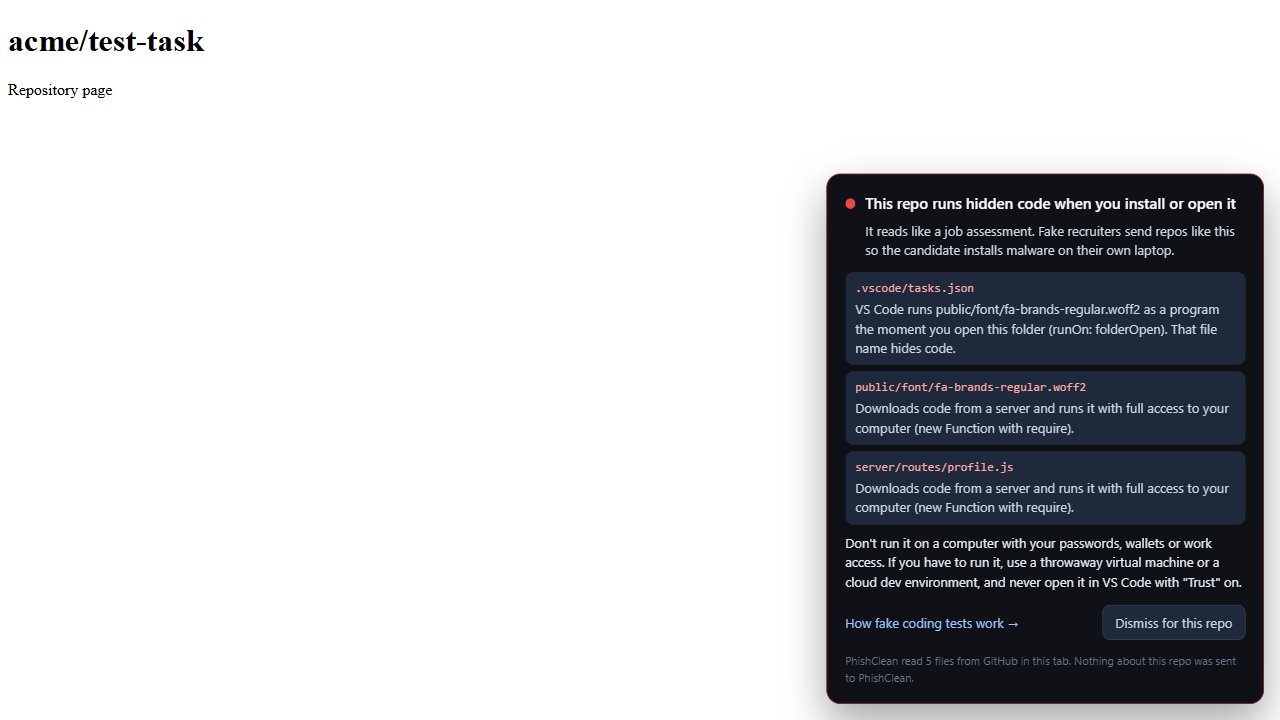
When you open a repository, PhishClean reads its package.json scripts, its .vscode/tasks.json and its server and config files, follows any file a script or task runs, and shows a card if installing or opening the repo would run hidden code. It names the file and what it does, so you can see it for yourself. Long-established projects with hundreds of stars are skipped. The files come straight from the code host into your tab, and nothing about the repository is sent to us.
No extension? The same check is on our site as a free coding test checker. Paste the repo link, or paste the recruiter's message to check it for the usual red flags.
New: fake meeting-app downloads
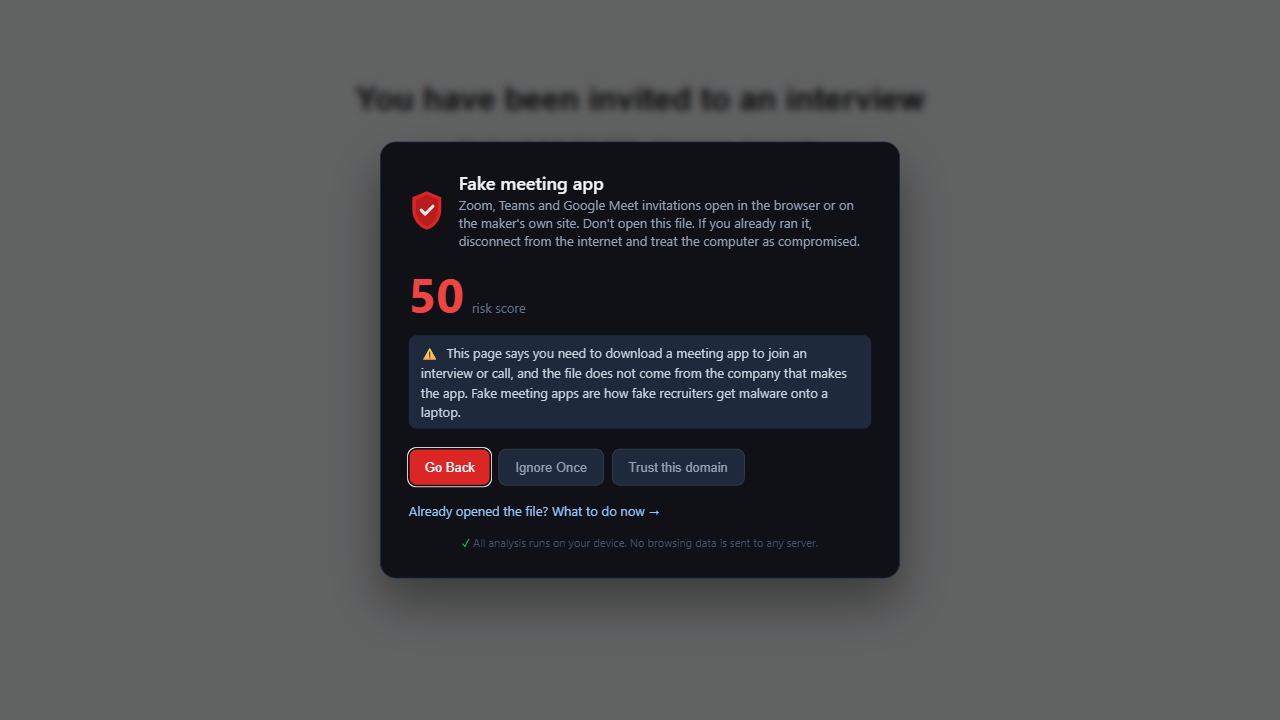
"To join the interview, download our meeting client," or "your Zoom SDK is out of date". The installer comes from a lookalike site, not from Zoom, Microsoft or Google. PhishClean now warns when an interview or meeting page offers a file to install that doesn't come from the company that makes the app. Company pages that link to Zoom's or Microsoft's own download page are left alone.
Lookalikes of the brands these lures copy
The lookalike-domain check now also covers Terraform, HashiCorp, Calendly, GitLab, Bitbucket, npm, Bybit, KuCoin, Upbit, Trezor and Trust Wallet. The trojanized Terraform provider Zscaler found this October downloaded its malware from hashicorp-terraform[.]io, a lookalike domain; addresses like that now count as lookalikes.
The fake interview warning is free. The coding-test repo check, the fake meeting-app warning and the new lookalikes are part of the paid plan and included in the 7-day trial.
What the free plan includes now
| Check | Free plan | Paid plan and trial |
|---|---|---|
| Fake interview "camera fixes" (new) | Yes | Yes |
| Fake CAPTCHAs that ask you to paste a command | Yes | Yes |
| Reported phishing sites, on pages and in search results | Yes | Yes |
| Link safety on hover | Yes | Yes |
| Password sent to another site | Yes | Yes |
| Coding-test repo check on GitHub, GitLab and Bitbucket (new) | No | Yes |
| Fake meeting-app downloads (new) | No | Yes |
| Fake browser updates, card skimmers, fake virus pages, fake shops, lookalike domains, leaked passwords and 15 more | No | Yes |
That makes 27 checks in all, five of them free, plus the repo check. The paid plan is $9 a month or $59 a year (in India, ₹149 a month or ₹999 a year), and it doesn't need an account.
Try every check for 7 days
No account needed to start, and five checks stay free afterwards.
Install PhishClean freeLast updated: