What's new in PhishClean 1.10.0: Paste Guard, download warnings and safer links in your inbox
A phishing link doesn't have to come from a search page. It arrives in an email, a DM, a Reddit thread or an answer from an AI chat, and the damage happens a step later, when you paste something or open a file. 1.10.0 adds warnings at both of those steps, and marks bad links wherever you read them.
Out now on Chrome, Firefox and Edge. Your browser installs the update by itself; nothing to do. 1.10.0 also brings everything from 1.8.0 and 1.9.0, which didn't ship on their own: free warnings on fake CAPTCHAs and fake job-interview "camera fixes", fake browser updates, checkout card skimmers and the coding-test repo check.
New: Paste Guard
"Your wallet needs to be re-verified. Enter your 12-word recovery phrase." Whoever has those words owns the wallet, and no real wallet, exchange or support team will ever ask for them on a website. Most people don't type them; they paste them from wherever they keep them.
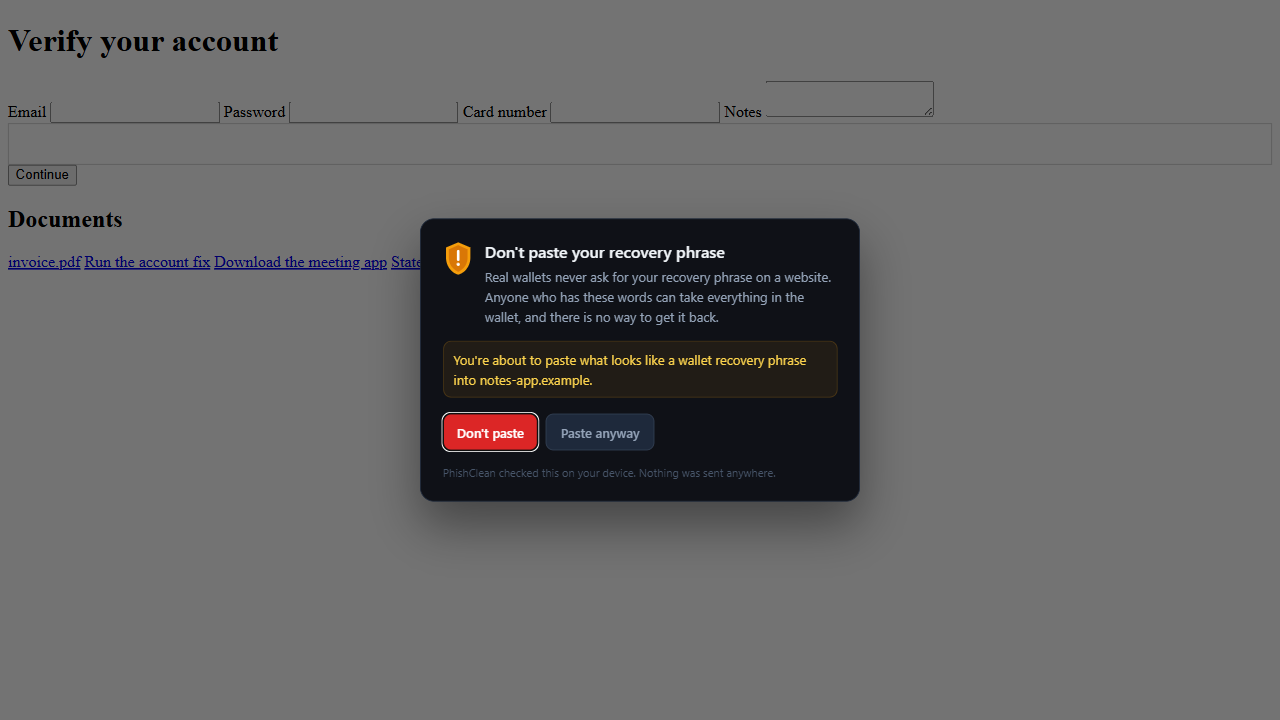
PhishClean now looks at what you are about to paste before the page gets it. A wallet recovery phrase gets a warning on any website. A card number or a password gets one only when something is already wrong with the page: it is on the reported-phishing list, it looks like a well-known brand's site but isn't, it isn't encrypted, it sits on a bare IP address, or PhishClean has already flagged it. Pasting your card into a real checkout stays quiet. The check runs in the page, and what you paste is never stored or sent anywhere.
New: download warnings
The file is called invoice.pdf.exe, and Windows hides the last part. Or the page builds the file itself, inside your browser, so no download server ever sees it (security teams call this HTML smuggling). Or a "document viewer" turns out to be a .hta or .lnk file that runs code as soon as you open it.
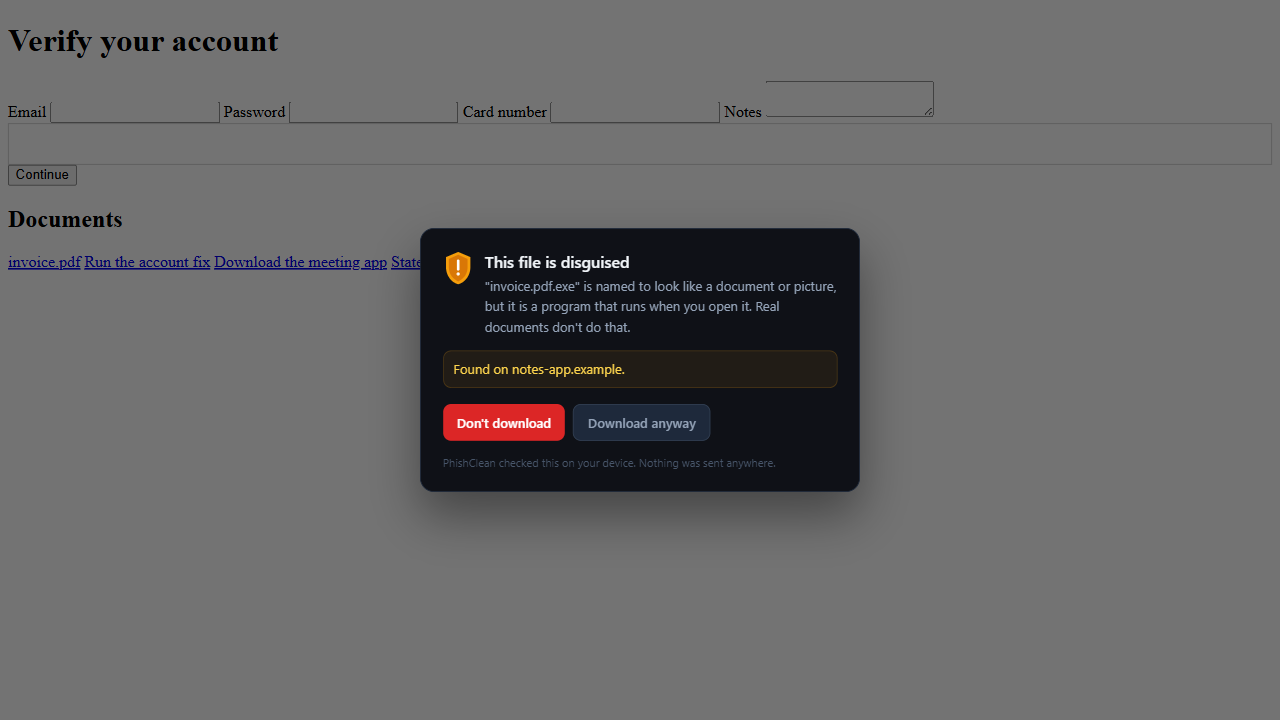
PhishClean now warns before the download starts:
- Disguised files, with a document or picture name in front of a program extension, always get a warning.
- Files the page builds itself get a warning when they are programs or scripts.
- Scripts (
.hta,.vbs,.ps1,.bat,.lnkand similar) get a warning unless they come from a well-known site. - Programs (
.exe,.msiand similar) get a warning only when the page or the link already looks wrong, so installing apps from their makers stays quiet.
New: link badges in your inbox, your feeds and AI chats
Since 1.7.0, PhishClean has marked results on Google, Bing and DuckDuckGo. The same marks now appear on links in Gmail, Outlook, Yahoo Mail, Facebook, Instagram, X, Reddit, LinkedIn, YouTube, WhatsApp Web, Telegram Web, Discord, Slack and Teams, and on links in answers from ChatGPT, Perplexity, Gemini, Copilot, Claude, DeepSeek, Meta AI and Grok. Brave Search gets result badges too, including on the links in its AI answers.
A red badge means the site is on the reported-phishing list; an amber one means the address looks like a well-known brand but isn't. These pages are full of ordinary links, so they never get green badges, only warnings. PhishClean also looks through the wrappers mail and social sites put around links (Outlook Safe Links, Facebook and LinkedIn redirects, X's t.co links) to check the address you will actually land on. Everything is matched on your device; nothing about your inbox or your chats is sent to us.
Red "Reported phishing" badges are free everywhere. Paste Guard, the download warnings and the amber lookalike badges are part of the paid plan and included in the 7-day trial. None of it needed a new permission.
What the free plan includes now
| Check | Free plan | Paid plan and trial |
|---|---|---|
| Reported phishing sites, on pages, in search results and now in mail, social and AI chats | Yes | Yes |
| Fake CAPTCHAs that ask you to paste a command | Yes | Yes |
| Fake interview "camera fixes" | Yes | Yes |
| Link safety on hover | Yes | Yes |
| Password sent to another site | Yes | Yes |
| Paste Guard (new) | No | Yes |
| Download warnings (new) | No | Yes |
| Lookalike badges in mail, social and AI chats (new) | No | Yes |
| Coding-test repo check, fake meeting apps, fake browser updates, card skimmers, fake shops, lookalike domains, leaked passwords and 15 more | No | Yes |
That makes 27 checks in all, five of them free, plus the repo check, Paste Guard and the download warnings. The paid plan is $9 a month or $59 a year (in India, ₹149 a month or ₹999 a year), and it doesn't need an account.
Try every check for 7 days
No account needed to start, and five checks stay free afterwards.
Install PhishClean freeLast updated: