What's new in PhishClean 1.7.0: warnings on search results, fake shops and notification traps
Until now PhishClean stepped in once you had already opened a page. But most scam pages are reached from somewhere: a search result, an ad, a link in a message. 1.7.0 moves the first warning earlier, to the search results page. It also adds warnings for two scams that never ask for your password: fake online shops, and pages that trick you into allowing notifications.
Out now on Chrome and Firefox. Edge follows when Microsoft finishes its review. Your browser installs the update by itself; nothing to do.
New: badges on search results
Search for your bank, a parcel company or "PayPal login" and PhishClean now marks the results on Google, Bing and DuckDuckGo before you click:
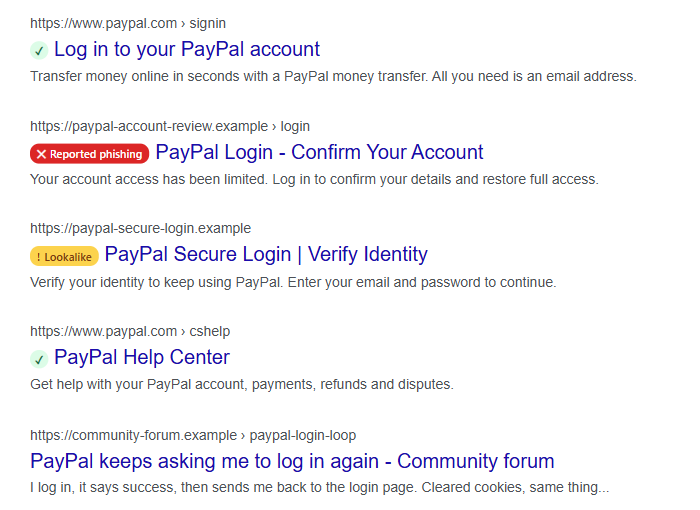
- Red, "Reported phishing": the site is on the list of about 380,000 reported phishing sites that PhishClean has carried since 1.5.0. Free, for everyone.
- Amber, "Lookalike": the address imitates a well-known brand, like
paypal-secure-loginorpaypa1. Part of the paid plan and the trial. - Green tick: a well-known site, such as the real PayPal or Google. Free.
- No badge: PhishClean has nothing to say about the site either way. No badge does not mean safe, which is why we don't put a tick on everything.
Hover over a badge to see why it's there. The checks happen on your device: result addresses are looked up in the local copy of the list, and your searches are never sent to us. If you'd rather not see the badges, switch them off in PhishClean's settings.
We were careful about false alarms. A results page is full of real businesses whose names start with a brand (Applebee's starts with "apple") or sit one letter away from a short one. So the amber badge only appears when an address uses the brand as a separate word or misspells a longer brand name.
New: a warning on "click Allow" notification traps
"Click Allow if you are not a robot." "Press Allow to watch the video." The Allow button belongs to your browser, and it doesn't verify anything. It gives the site permission to send notifications. These sites use that permission to push fake virus alerts, prize scams and adult ads to the corner of your screen for weeks, long after you closed the tab. Most people never connect those alerts to the page that started them.
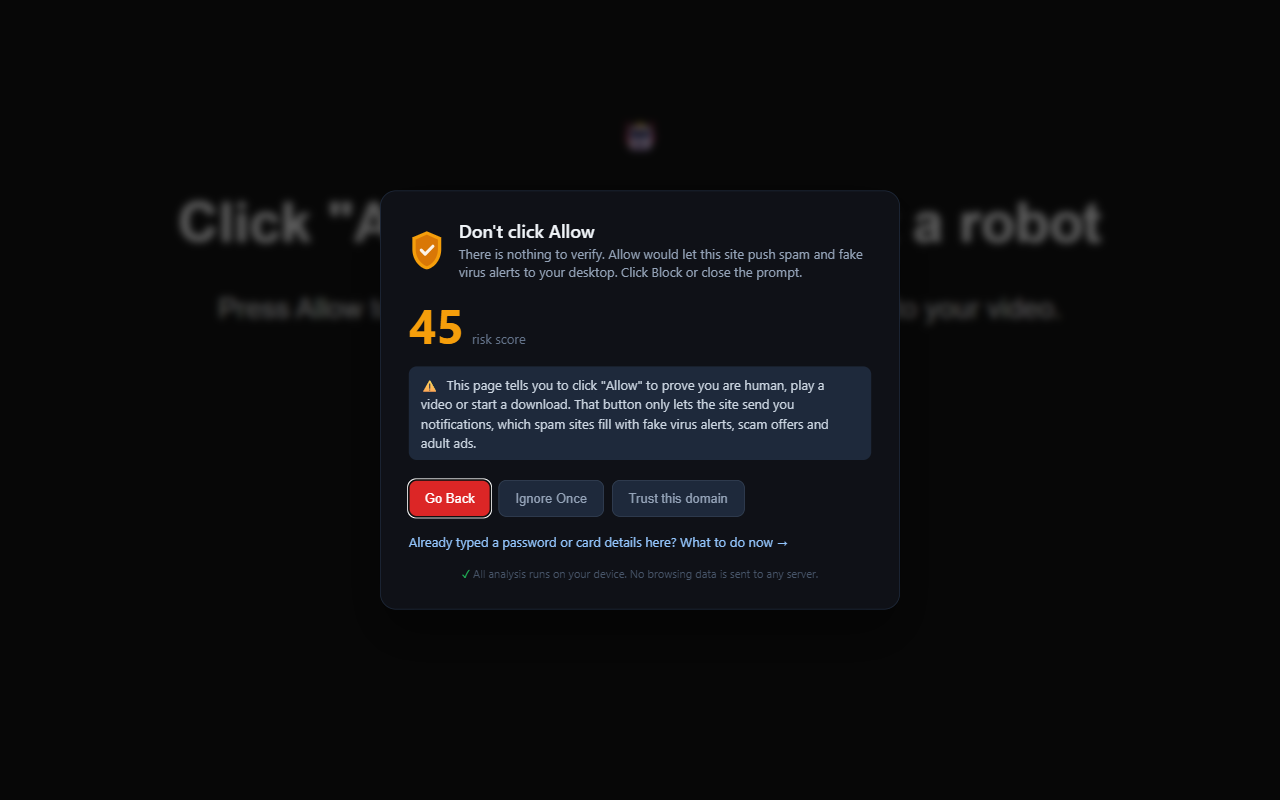
PhishClean now recognises these pages: an instruction to press Allow, a made-up reason for it, and very little else on the page. Articles that explain the trick quote the phrase and run long, so they're left alone. Sites that can no longer ask, because you already allowed or blocked them, are skipped. Already clicked Allow somewhere? Here is how to take it back in each browser.
New: a warning on fake online shops
Social media ads are full of "brand outlet" stores: Nike, Lego, Dyson or Stanley at 70 to 90 percent off, often with a closing-down story. Some send nothing. Some send a counterfeit. All of them keep your card details. These shops never ask for a password, so phishing checks never looked twice at them.
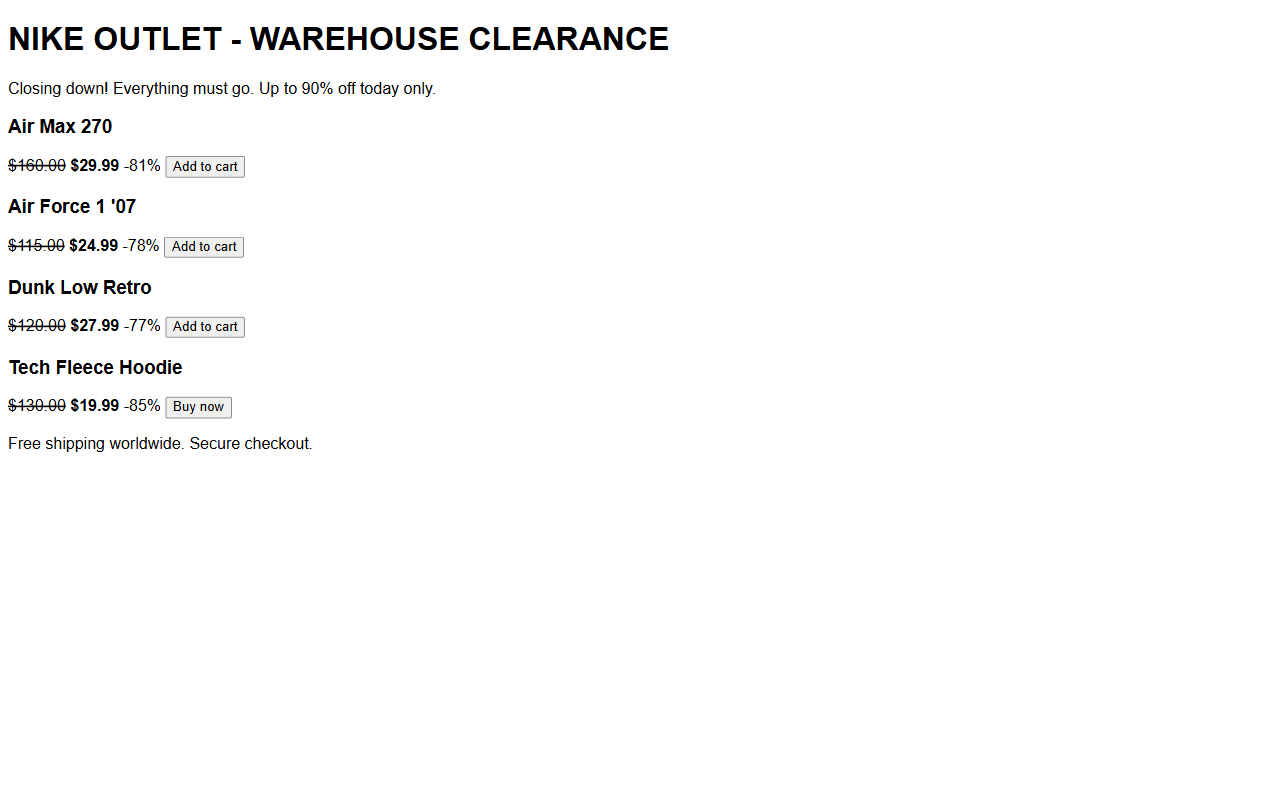
PhishClean now warns when a shop sells a famous brand at implausible discounts from a website the brand doesn't own. A big sale alone isn't enough, and neither is a cheap domain: a real shop running a clearance sale on its own site isn't flagged. If you've already paid, the warning tells you what to do: call your bank and ask for a chargeback, which card payments usually allow for goods that never arrive.
The lookalike badges, the notification-trap warning and the fake-shop warning are part of the paid plan and included in the 15-day trial. The red "Reported phishing" badges and green ticks are free.
New: PhishClean for Teams
Companies can now roll PhishClean out to every browser by policy, with an organisation key and a company-wide list of trusted internal sites. Staff never see a trial or a paywall. It's $5 per person a month, with a 30-day pilot that needs no card. See PhishClean for Teams.
What the free plan includes now
| Check | Free plan | Paid plan and trial |
|---|---|---|
| Reported phishing sites, on pages and in search results (new) | Yes | Yes |
| Link safety on hover | Yes | Yes |
| Password sent to another site | Yes | Yes |
| Lookalike badges in search results (new) | No | Yes |
| Fake online shops (new) | No | Yes |
| "Click Allow" notification traps (new) | No | Yes |
| Fake virus pages, lookalike domains, fake brand logins, leaked passwords and 13 more | No | Yes |
That makes 22 checks in all. The paid plan is $9 a month or $59 a year (in India, ₹149 a month or ₹999 a year), and it doesn't need an account.
Try every check for 15 days
No account needed to start, and three checks stay free afterwards.
Install PhishClean freeLast updated: