What's new in PhishClean 1.5.0: reported phishing sites blocked, fake virus pages caught
Until now PhishClean judged every page from scratch, by looking at what it does. That catches a brand-new fake login nobody has seen before. It also meant PhishClean ignored something obvious: most phishing pages people actually land on have already been reported by someone else. 1.5.0 fixes that, and adds a warning for the scam that costs people the most money of all: the fake virus alert with a phone number.
Out now on Chrome and Firefox. Edge follows when Microsoft finishes its review. Your browser installs the update by itself; nothing to do.
Why a list of reported sites matters
A phishing page has a short, busy life. It goes up, gets sent to thousands of inboxes and phones at once, and within hours some of the people who receive it report it. Security volunteers check those reports and publish the confirmed addresses. If you are the ten-thousandth person to get the same text message, the page has very likely already been reported, and the only question is whether anything on your side knows it.
Your browser's built-in protection (Google Safe Browsing, Microsoft SmartScreen) does use lists like this, and you should keep it on. But no single list has everything, and lists are built at different speeds. A second list, checked independently, closes some of the gaps.
New: about 378,000 reported phishing sites, blocked for free
PhishClean now carries a list of about 378,000 hosts reported as phishing and still online. Open one and you get a full-page warning before you can type anything.
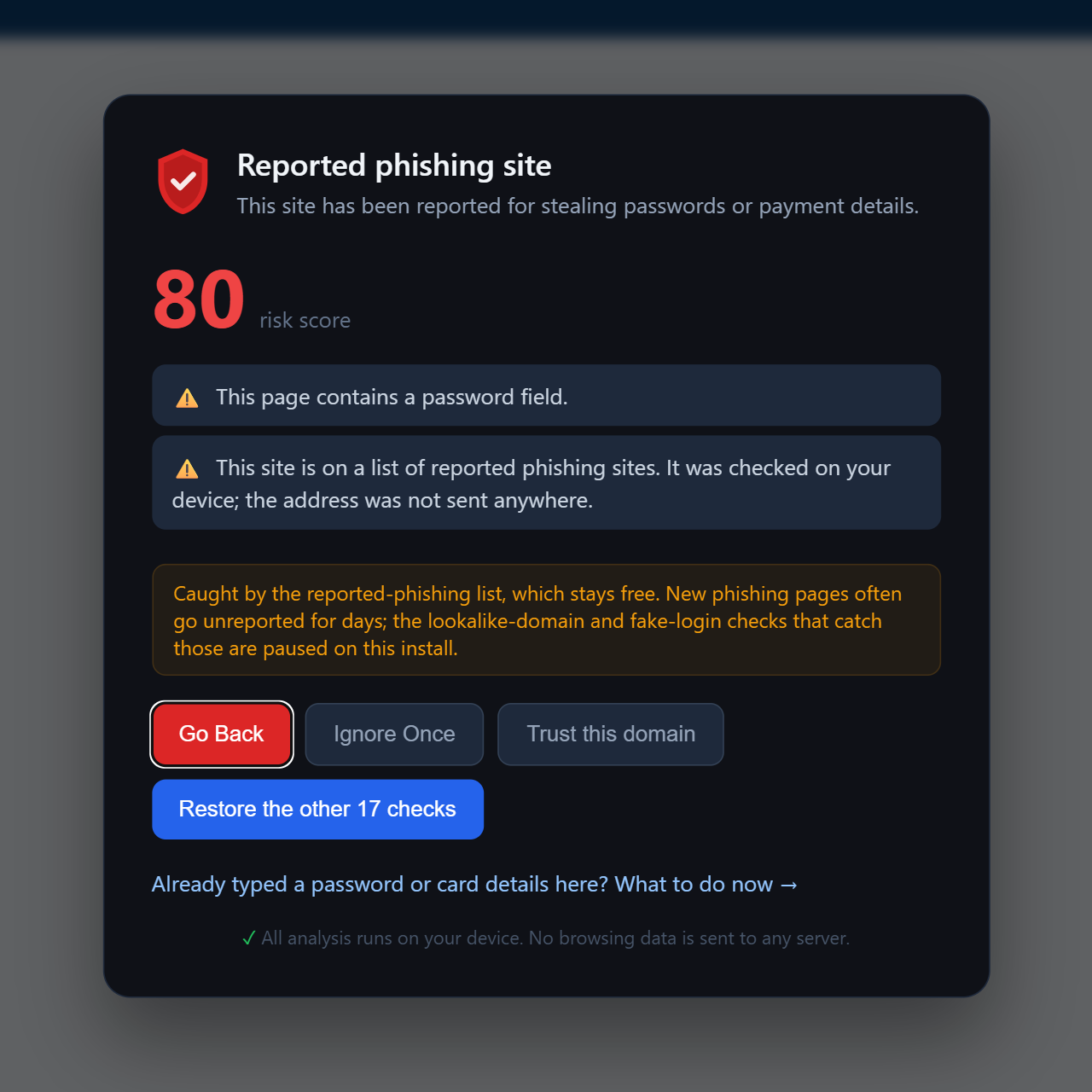
- Free, for everyone, forever. Holding back a warning about a page that is already known to be phishing would only hurt the person it failed, so this check is part of the free plan and keeps running after the trial.
- Checked on your device. PhishClean downloads the whole list about twice a day and looks each page up locally. The list ships as short hashes, not addresses, and the site you are on is never sent anywhere. The privacy policy describes the download.
- Real sites filtered out. The source list, the open Phishing.Database project, contains some hosts that are legitimate but once hosted a reported page:
sites.google.com, Gravatar, Pastebin. Blocking those would block every page on them, so anything on a domain in the world's top million sites is removed before the list reaches you. We tested the result against the 1,000 most visited sites on the web: none of them is blocked. - You stay in charge. "Trust this domain" on the warning stops it for that site for good.
New: a warning on fake virus pages
"Your computer has been blocked. Do not close this window. Call Microsoft Support." Tech support scams are not clever, and they don't need to be. Victims reported $2.1 billion in tech and customer support scam losses to the FBI's Internet Crime Complaint Center in 2025, and people over 60 lost more to online fraud than any other age group. The page itself does nothing to your computer. The damage starts when someone calls the number, lets a "technician" connect, and pays for a repair that was never needed.
So the moment to step in is before the call. PhishClean now recognises the combination every one of these pages has and no real alert does: a security warning in the page plus a toll-free support number to ring. When it sees it, it covers the page with a plain message: nothing on your computer is infected, and the number goes to scammers.
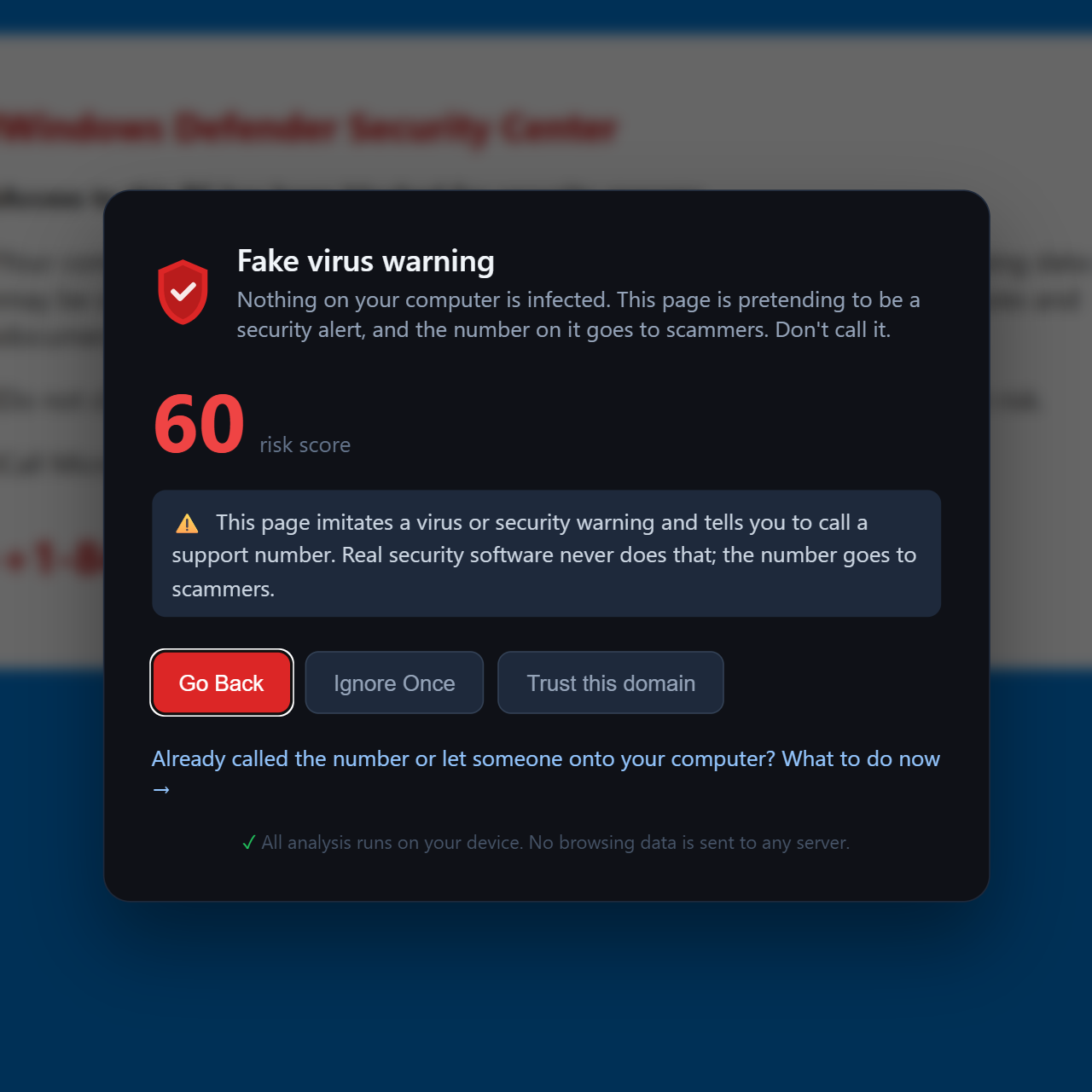
- It takes back the screen. Many of these pages switch the browser to fullscreen to hide the address bar and close button. PhishClean leaves fullscreen so its warning is actually visible.
- Articles are left alone. News stories and guides about these scams quote the same phrases. Quoted phrases don't count, and long pages are skipped, so reading about a scam doesn't trigger the warning.
- If someone already called, the warning links straight to what to do after calling the number.
The fake virus warning is part of the paid plan and included in the 15-day trial. If you set PhishClean up for a parent or grandparent, this is the check that matters most for them.
One thing it can't do: stop warnings that pop up from the corner of your screen. Those are notifications from a site you once allowed, and the fix is a browser setting. Here is how to switch them off.
Fixed: PhishClean did nothing on plain http:// pages
We found a bug while building this release, and it's worth being direct about it. On pages served over plain http:// rather than https://, PhishClean's page checks failed to start at all. A browser feature the extension relied on at startup only exists on secure pages, so on insecure ones the whole check stopped before it began. That is a bad place to fail: unencrypted pages are exactly where the "password on an insecure page" check is meant to help. It is fixed in 1.5.0, and our tests now run on plain-http pages so it can't quietly come back.
What the free plan includes now
Every check is on for the first 15 days, with no account and no card. After that, three keep running for free instead of two:
| Check | Free plan | Paid plan and trial |
|---|---|---|
| Reported phishing sites (new) | Yes | Yes |
| Link safety on hover | Yes | Yes |
| Password sent to another site | Yes | Yes |
| Fake virus and tech support scam pages (new) | No | Yes |
| Lookalike domains, fake brand logins, leaked passwords, HTTPS downgrades and 12 more | No | Yes |
That makes 20 checks in all. The paid plan is $9 a month or $59 a year (in India, ₹149 a month or ₹999 a year), and it doesn't need an account.
Why the paid checks still matter
A list only knows what has been reported. The page sent to you in the first hour of a campaign usually hasn't been, and that is when the people who fall for it are caught. The paid checks look at what the page does instead of what it's called: a login form that posts your password somewhere else, a domain one letter off a bank's, a page dressed up as Microsoft that isn't on a Microsoft address. The list and the page checks cover each other's blind spots, which is why the full set is the one we recommend.
Try every check for 15 days
No account needed to start, and three checks stay free afterwards.
Install PhishClean freeLast updated: