What's new in PhishClean 1.4.0: breached sites and leaked passwords
Most account takeovers don't start with a clever fake page. They start with a password that already leaked somewhere else and got reused. 1.4.0 tells you about that at the one moment you can do something about it: while you are typing the password.
Rolling out now: 1.4.0 is on its way to Chrome, Firefox and Edge, and your browser installs it automatically once each store approves it. Both new checks use Have I Been Pwned, the public breach database, and neither one sends your password or the sites you visit.
"This site has had a data breach"
When you click into a password field, PhishClean checks whether that site appears in Have I Been Pwned's list of known breaches. If it does, a short note tells you when it happened, how many accounts were affected and what leaked, and suggests making sure the password you use there isn't used anywhere else.
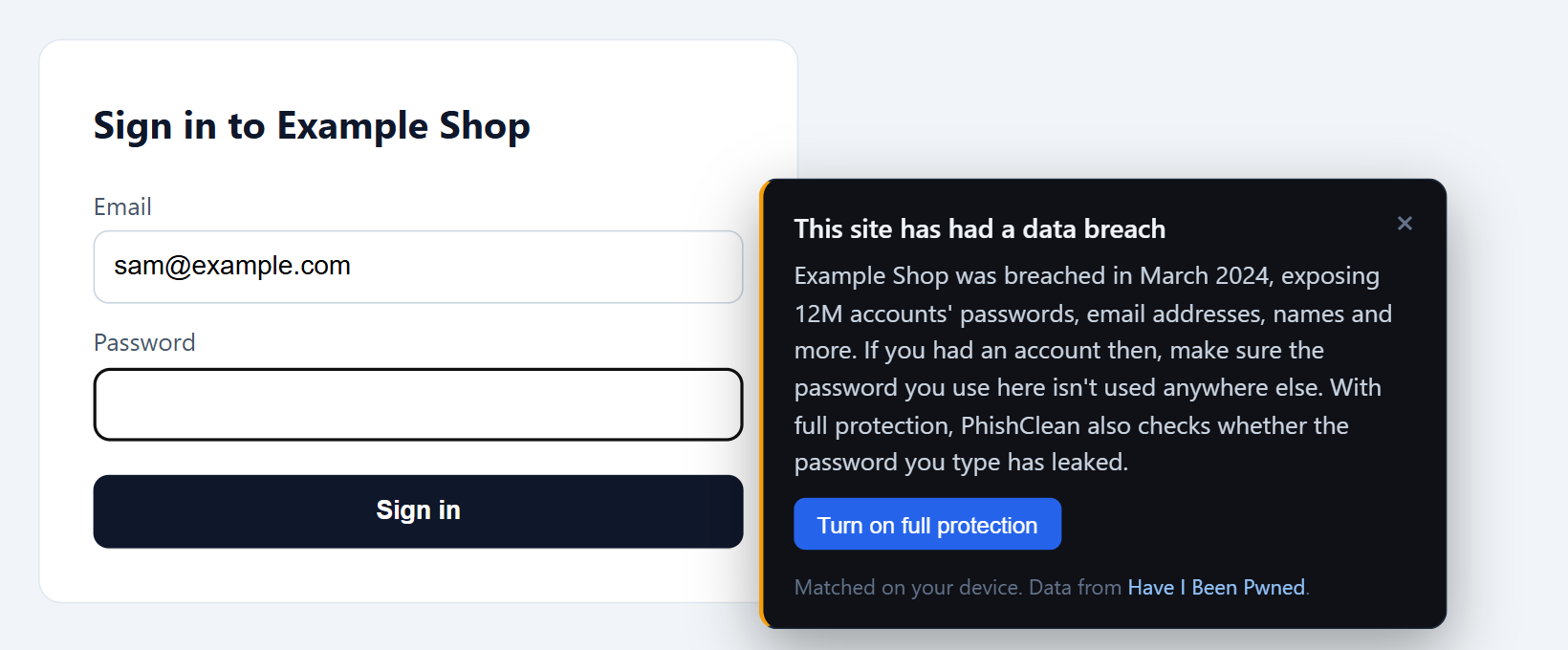
- Once per site, ever. You see it the first time you sign in somewhere with a breach on record, then never again for that site.
- Matched on your device. PhishClean downloads the whole public breach list every few days and looks the site up locally. The site you are on is never sent anywhere.
- Free, forever. It is part of the checks that keep running after the trial.
"This password has leaked"
As you type a password, PhishClean checks it against the hundreds of millions of passwords exposed in past breaches. If yours is one of them, you see how many times it has turned up before you press Sign in. A leaked password is one of the first things attackers try, on every site, which is why reusing one is so risky.
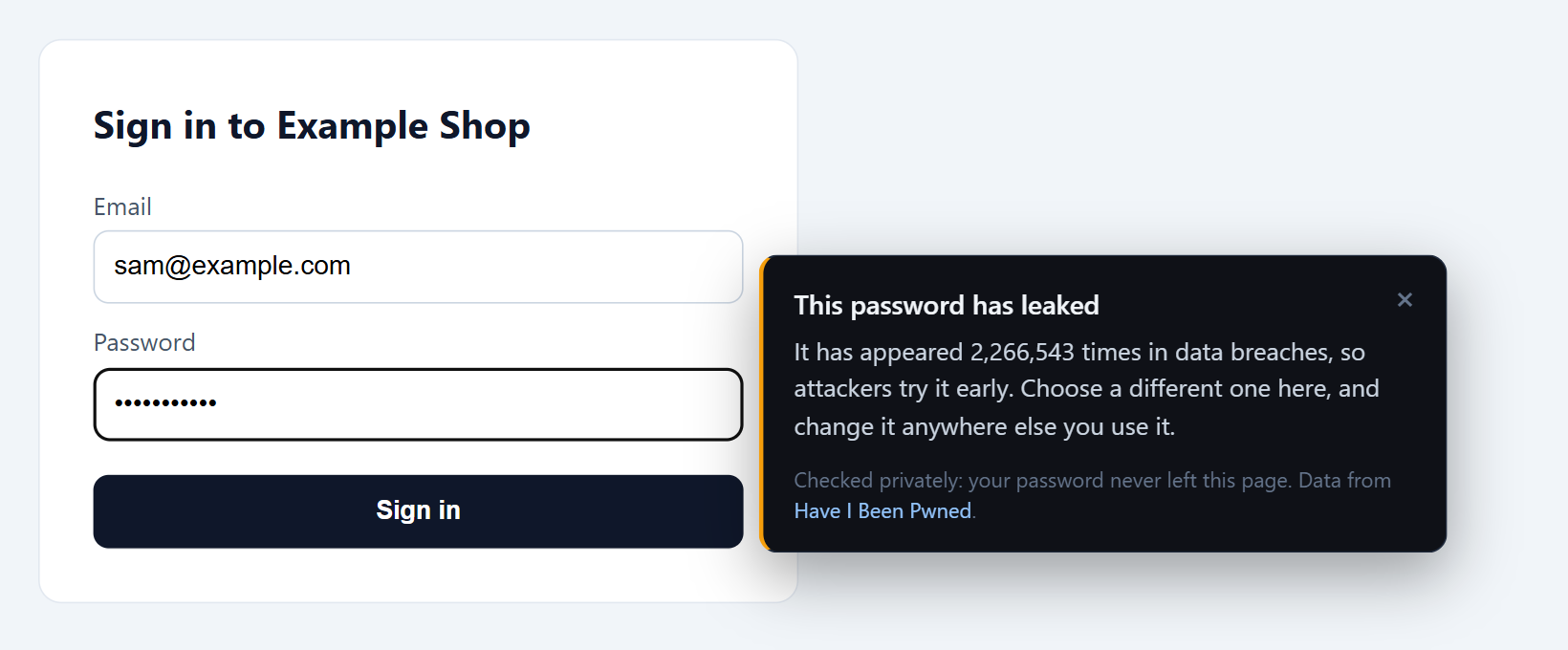
The note goes away as soon as you change the password, and it never blocks the form.
How it checks without seeing your password
Your password never leaves the page. PhishClean turns it into a SHA-1 hash in your browser and sends Have I Been Pwned only the first 5 characters of that hash. The reply lists every leaked hash that starts with those 5 characters, padded so its size gives nothing away, and PhishClean looks for a match on your device. Those 5 characters are shared by a huge number of possible passwords, so they reveal nothing useful about yours. This technique is called k-anonymity, and it is the same one password managers use for their breach checks.
The leaked-password check is part of the paid plan and included in the 15-day trial. The breached-site note is free for everyone.
What this means for our privacy promise
Until now, the extension only ever talked to our own server, and only about your licence. It now also makes the two requests above, straight from your browser to Have I Been Pwned, never through us. Neither carries a URL, a site name or your password. Like any website, Have I Been Pwned sees your IP address. The privacy policy has a new section describing both requests, and the source code is public if you want to check for yourself.
Right behind it in 1.4.1: fewer false alarms
These fixes arrive in 1.4.1, which follows 1.4.0 through the stores.
- Linking to big brands is no longer suspicious on its own. Ordinary sites load Google Fonts and link to GitHub or LinkedIn in their footer, and that was enough to raise a warning. Borrowing a brand now only counts when the page also asks for something, like a password.
- Checklists are not forms. A page with a tick box that says "I entered my UPI or OTP details" is giving advice, not asking for them, and is no longer mistaken for a scam page.
- "Go Back" always leaves the page. If the flagged page opened in a new tab, or its back history stayed on the same page, "Go Back" used to leave you where you were. It now takes you to a new tab instead.
Try every check for 15 days
No account needed to start. Install, sign in somewhere, and see what it knows.
Install PhishClean freeLast updated: