What's New in PhishClean 1.11.0: Fake Sign-In Windows and Device-Code Phishing
Two sign-in tricks get past the usual advice. One draws a fake browser window with a real address in it. The other never asks for your password at all. 1.11.0 warns about both and catches more lookalike addresses.
Out now on Chrome, Firefox and Edge. Your browser installs the update by itself, so there's nothing to do.
New: fake sign-in windows
You click "Sign in with Google" and a window opens with accounts.google.com in its address bar. "Check the address" is good advice, but it fails here, because that window is part of the page and so is the address. Security researchers call this a browser-in-the-browser attack.
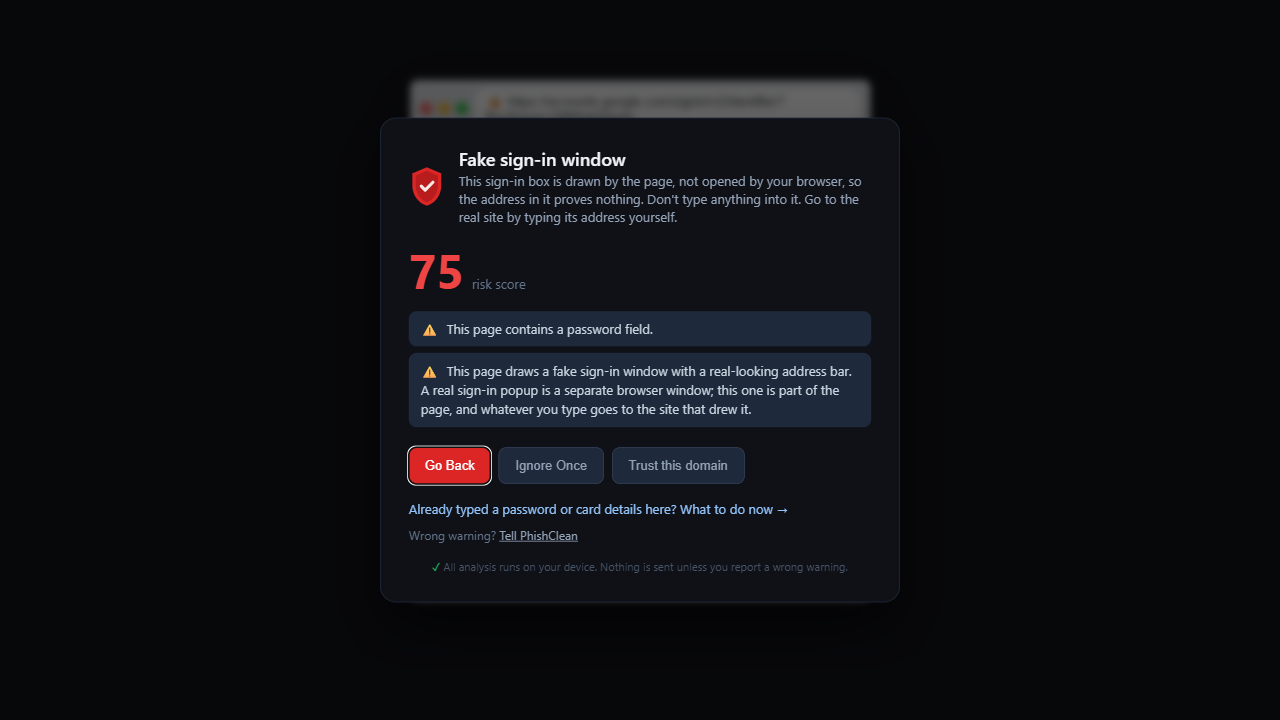
PhishClean now warns when a page draws a popup-sized box that shows a real sign-in address around a login form, on a site that isn't that company's.
New: device-code phishing
A page shows you a short code and tells you to enter it at microsoft.com/devicelogin. That Microsoft page is real, which is why the trick works. Entering the code signs the attacker's device into your account, and they never need your password.
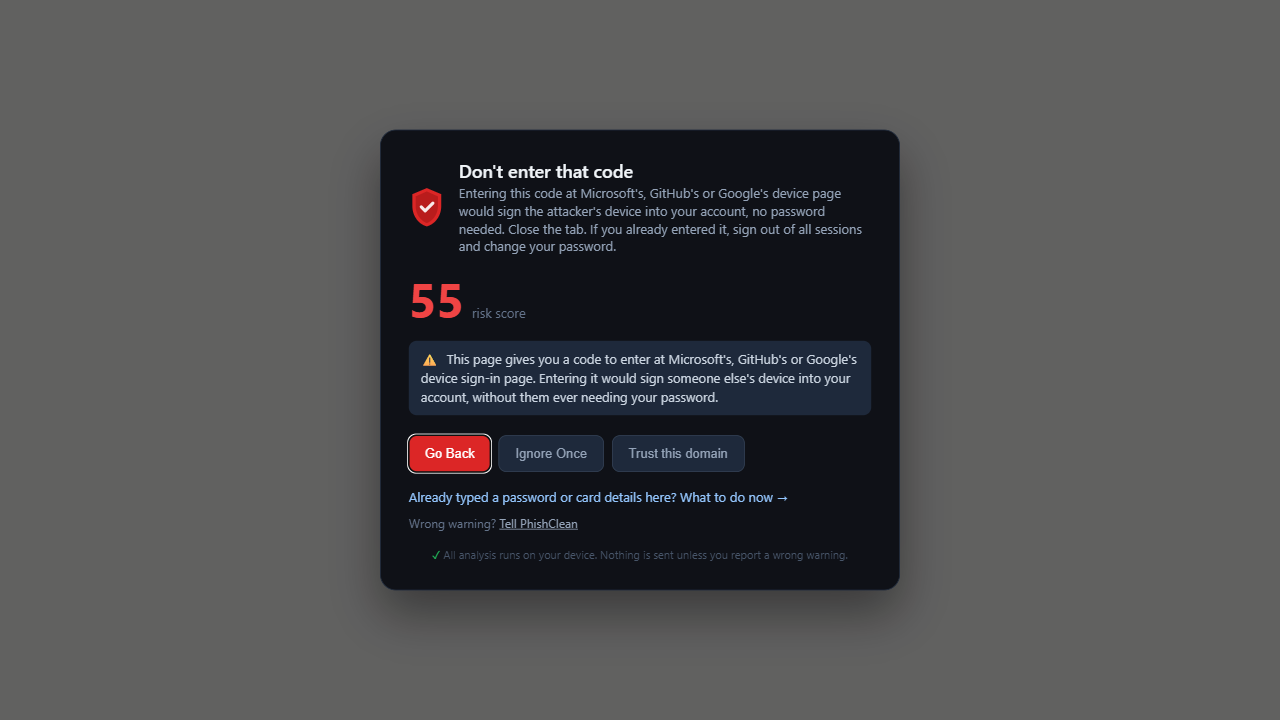
These pages have no password field, so a check that looks for fake login forms has nothing to find. PhishClean now warns when a short page gives you a code for Microsoft's, GitHub's or Google's device sign-in page, on a site that isn't theirs. Long help articles and those companies' own pages don't set it off.
Better: lookalike addresses
Lookalike detection now catches swapped characters (paypa1, g00gle), brand names inside hyphenated addresses, and a brand's own domain used as a subdomain (paypal.com.account-verify.ru). On a test set of 20 real patterns it went from catching 4 to catching all 20, with no new matches across the 100,000 most popular sites.
The two new warnings and lookalike detection are part of the paid plan and included in the 7-day trial. Everything in the next section is free for everyone.
New for everyone
- "Wrong warning?" Every warning now has a way to report a false alarm. You see exactly what would be sent first: the site's domain, the names of the checks that fired and the extension version. Nothing is sent unless you press Send, and the privacy policy has the details.
- First-day summary. One notification about 30 hours after you install, showing what PhishClean checked and blocked. It doesn't appear on company-managed installs.
- Exposed refrigeration controllers. A small notice when a Danfoss or Copeland/Dixell controller login is reachable from the public internet, after the supermarket fridge attacks in Europe. It never blocks the page.
- A rating request, once. After PhishClean has blocked something, the popup asks for a rating. Either answer ends it.
- A new icon, the same navy shield used across the site.
That makes 29 checks in all, five of them free. The paid plan is $9 a month or $59 a year (in India, ₹149 a month or ₹999 a year), and it doesn't need an account. 1.11.0 adds no new permissions.
Try every check for 7 days
No account needed to start, and five checks stay free afterwards.
Install PhishClean freeLast updated: