SkyW4lker: The Device-Code Phishing Kit Taking Over Microsoft 365 Accounts
Most phishing shows you a fake login page. SkyW4lker sends you to the real one. You sign in to Microsoft, on Microsoft's site, with your own MFA, and the attacker ends up inside your account.
What researchers found
The sandbox company ANY.RUN published its analysis on 27 October. The kit, which also calls itself "SkyW4lker x365 Sentinel", first appeared on 23 June 2026 and has been updated ever since.
- 618 analyses tied to the kit between June and 21 October, rising from 20 a month in June to 200 in September.
- Nearly half of the submissions came from the United States, with India, Canada and the UK following.
- The organisations submitting samples were mostly in technology, manufacturing and government.
- 173 phishing domains, and 92 backend servers, 50 of them at one cloud host.
- ANY.RUN believes, with high confidence, that the same developer built Gabagool, a password-phishing kit seen since April. The two share code, a CAPTCHA and hosting.
How the attack works
- The email. A contract, invoice, statement or proposal arrives as a password-protected PDF, Word or Excel file, with the password in the message. The password keeps mail scanners from reading the file.
- The detour. A link in the file leads to a CAPTCHA, sometimes by way of a page on Google Sites, Miro, Zoom or Smartsheet. The CAPTCHA keeps automated scanners out.
- The code. A branded page shows a short code and tells you to enter it at Microsoft's device sign-in page to view the document.
- The sign-in. You enter the code on the real Microsoft page, type your password and approve MFA. Microsoft then hands a sign-in token to the device that asked for the code, which is the attacker's server.
Device codes exist for things that have no keyboard, such as a TV or a meeting-room screen: the device shows a code and you approve it from your phone or laptop. The attacker's server simply plays the part of the TV.
Why the usual defences miss it
- There is no fake login page for a filter to find. The only login page involved is Microsoft's.
- MFA doesn't stop it. You complete the MFA yourself.
- A password reset may not end it. The attacker holds a token, not your password.
- The sign-in log looks legitimate. It shows a successful device-code sign-in by the real user.
What to do
If you use Microsoft 365
- Treat any page that gives you a code to enter at Microsoft's device login as hostile, unless you started it yourself on a TV, console or meeting-room device a moment ago.
- A document that needs a password from the same email is a warning sign by itself.
- If you entered a code, tell IT at once. They need to revoke your sessions, not only reset the password.
If you run Microsoft 365
- Block device-code sign-in with a Conditional Access policy, with exceptions only for the devices that need it. Most organisations need it nowhere. This closes the attack outright.
- Search the Entra sign-in logs for device-code authentications and compare them with what users were sent that day.
- After a suspected case: revoke sessions, review mailbox rules and app consents, and check what was opened in SharePoint and OneDrive.
Where PhishClean fits
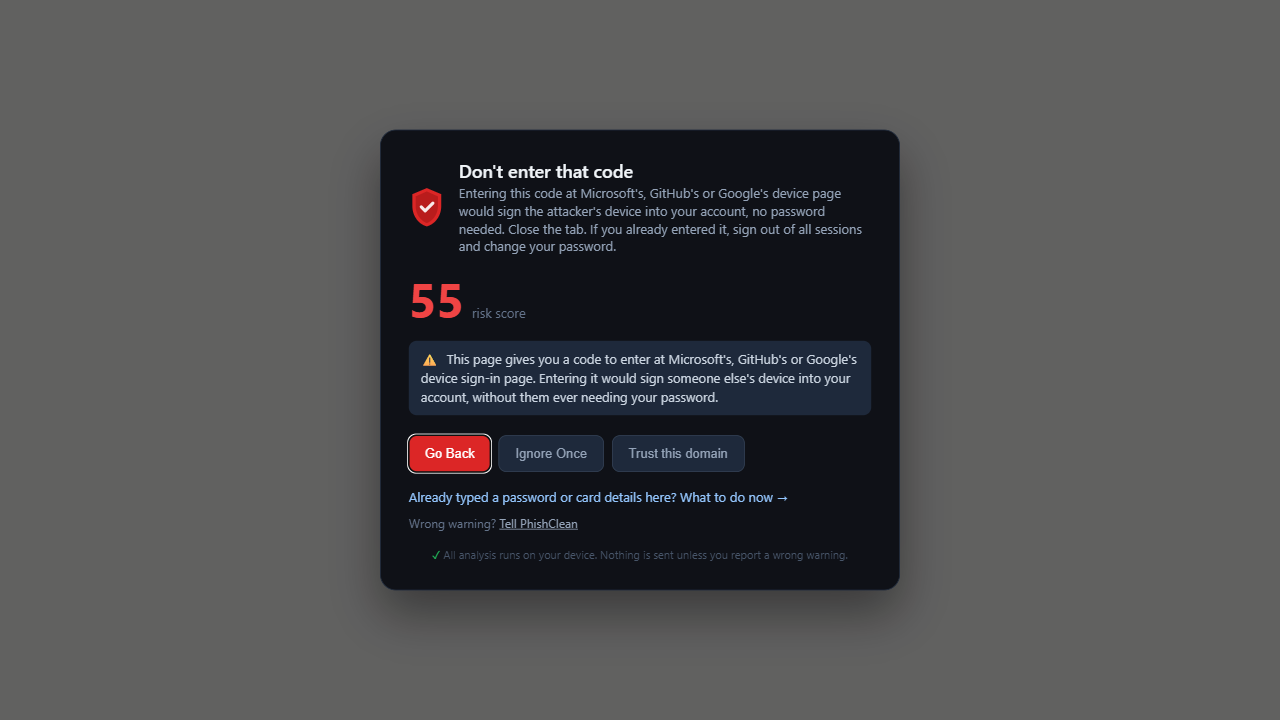
Since version 1.11.0, PhishClean warns when a short page gives you a code for Microsoft's, GitHub's or Google's device sign-in page and the page is not on one of their sites. That is step 3 above, the last point at which the attack can be stopped in the browser. The check is part of the paid plan and the 7-day trial.
We have not tested it against live SkyW4lker pages, which sit behind a CAPTCHA and change address often, so we don't claim a catch rate. The Conditional Access setting above is the certain fix; the warning is for the people and organisations that don't have it.
Sources
- Cyber Security News, 4 November 2026, reporting ANY.RUN's research of 27 October 2026.
Try every check for 7 days
No account needed to start, and five checks stay free afterwards.
Install PhishClean freeLast updated: